
The Simple AI Prompt Formula |
|
 |
AI tools like ChatGPT and Claude are much easier to use than they used to be.
You do not need to talk to them like a robot. You do not need to learn a bunch of fancy “prompt engineering” tricks. Most of the time, you can ask a normal question and still get a useful answer.
But here is the important part:
If the task matters, a better prompt still helps.
If you are asking a quick question, you can keep it simple. But if you want AI to help you write content, plan a project, create a product idea, improve a YouTube title, or organize your thoughts, it helps to give better directions.
Think of AI like a very smart assistant.
If you say:
“Help me with content.”
The assistant has to guess what you mean.
Do you want a blog post?
AI may still give you something. But the answer may be too broad, too boring, or not what you actually wanted.
Now compare that to this:
“Help me turn one idea into a short newsletter article for beginners. Keep it simple and easy to understand. Give me a clear headline, a short intro, three useful points, and one action step.”
That is much better.
Now AI knows what you want. It knows who the content is for. It knows the format. It knows the tone.
That is why a simple prompt structure can help.
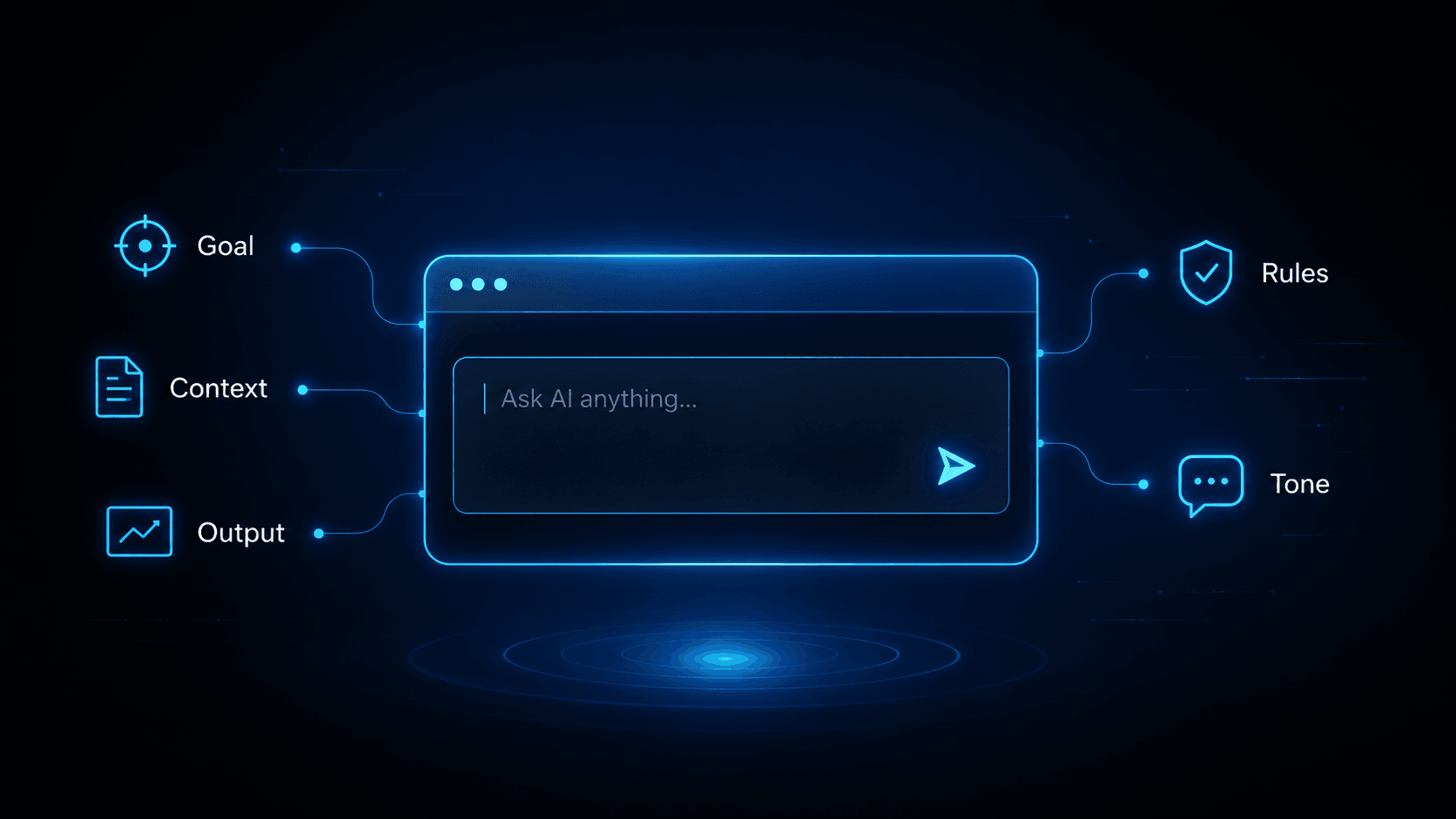
A good beginner-friendly formula is:
Goal + Context + Output + Rules + Tone
Let’s break that down.
1. GoalThe goal is what you want AI to help you do.
Examples:
“Help me write a newsletter article.” “Help me come up with YouTube ideas.” “Help me turn this idea into a digital product.” “Help me make this post easier to read.”
This tells AI the job.
A lot of people type something like:
“Give me ideas.”
That can work, but it is not very clear.
A better version would be:
“Give me 10 video ideas for beginners who want to use AI to save time.”
That gives AI a much clearer job.
2. Context
Context tells AI what the situation is.
This may include who the content is for, what the topic is, or why you are creating it.
For example:
“The audience is beginners who want to use AI to save time, create content, and build simple online income ideas.”
That one sentence helps a lot.
Writing for beginners is different from writing for experts.
Writing a YouTube title is different from writing an email.
Writing to teach is different from writing to sell.
Context helps AI aim in the right direction.
Without context, AI has to guess.
With context, AI can give you something much closer to what you need.
3. Output
Output means the kind of answer you want.
Do you want a list?
Tell AI what you want the final answer to look like.
For example:
“Write this as a 600-word article.”
Or:
“Give me a list of 10 ideas.”
Or:
“Turn this into a simple checklist.”
Or:
“Give me three headline options and explain which one is best.”
This helps prevent AI from giving you the wrong type of answer.
If you want a short post, say that.
If you want a full article, say that.
If you want examples, ask for examples.
AI works better when it knows what kind of answer you want.
4. Rules
Rules are the things you want AI to follow.
Examples:
“Do not make it too technical.” “Keep each point short.” “Use simple examples.” “Avoid hype.” “Make it useful for beginners.”
Rules help keep the answer on track.
This matters because AI will often try to do too much. It may give you a long answer when you wanted something short. It may use words your reader does not understand. It may sound too formal or too salesy.
Rules help you guide the answer.
You do not need a lot of rules. One or two is usually enough.
For example:
“Keep it simple. Use examples a beginner can understand.”
That is a good rule.
5. Tone
Tone is how the writing should sound.
Examples:
“Keep it simple and friendly.” “Make it clear and direct.” “Write it like you are explaining it to a smart beginner.” “Make it practical, not salesy.”
Tone matters because AI can sometimes sound boring, robotic, or too fancy.
If you want the answer to feel simple, say that.
If you want it to feel professional, say that.
If you want it to feel casual, say that.
You are not just asking AI for information. You are also guiding how the information should sound.
Now let’s put the whole formula together.
Instead of writing:
“Write something about AI prompts.”
Try this:
“Help me write a beginner-friendly article about how to get better answers from AI. The audience is people who are new to AI and want to use it for content, productivity, and simple online business ideas. Write it as a clear article with simple examples. Do not make it too technical. Keep the tone practical and easy to understand.”
That prompt is not complicated.
It just gives AI better direction.
Here is another example.
Instead of asking:
“Give me YouTube ideas.”
Try this:
“Help me come up with 10 YouTube video ideas about using AI to save time. The audience is beginners. Give me a title, a short hook, and a one-sentence description for each idea. Keep the ideas practical and easy to understand.”
That is much clearer.
Here is one more.
Instead of asking:
“Help me make a product.”
Try this:
“Help me turn my knowledge about meal planning into a simple digital product idea. The audience is busy people who want to eat better without spending hours cooking. Give me five product ideas, including a name, what the product would include, and why someone might want it. Keep the ideas simple.”
That gives AI a real job.
You can use this same formula for almost anything.
Use it for articles.
The point is not to write perfect prompts.
The point is to give AI enough information so it does not have to guess.
New AI tools are smart. They can understand normal language. But they still work better when you tell them what you want.
So the next time you use AI, try this simple formula:
Goal + Context + Output + Rules + Tone
Start there.
You will usually get better answers, cleaner drafts, and more useful ideas. |